☎ Hot line: 01916-730943, 01761-403785 (10AM – 10PM)
- Home /
- Page
Office Installation ID Verification
Step 1 of 4
Open Microsoft Activation Wizard
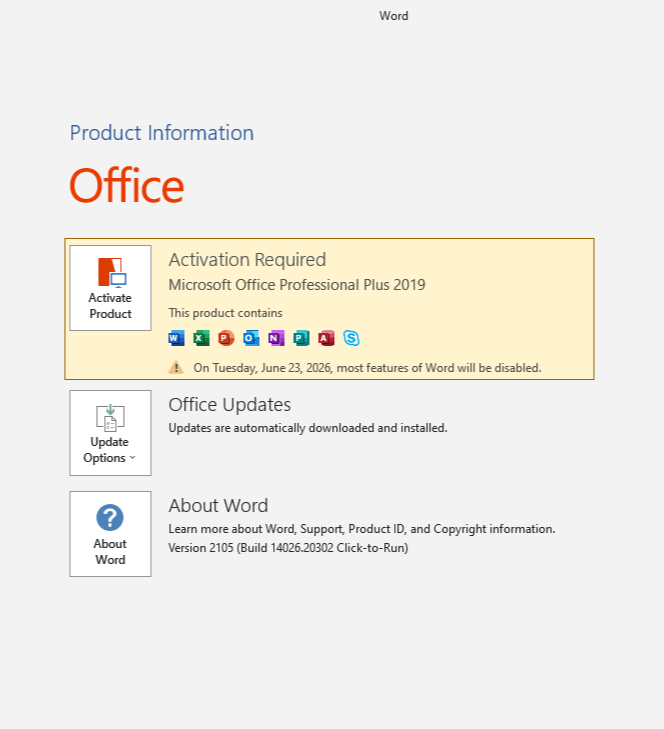
- Open Word or Excel and go to File → Account.
- Click Change Product Key (or Change License).
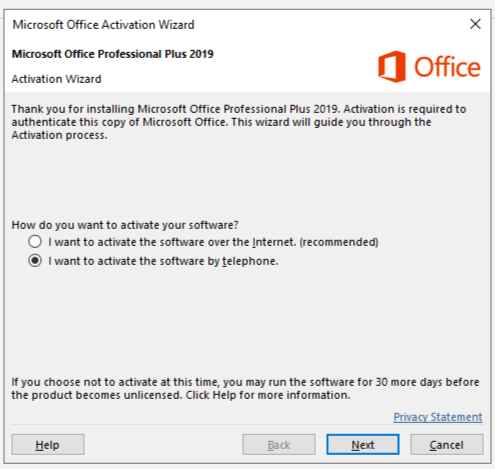
- Choose: "I want to activate the software by telephone."
- Click Next to proceed.
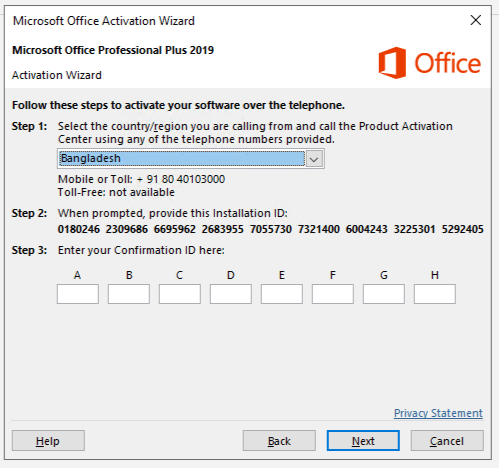
- Select country (e.g. Bangladesh) to view your 63-digit IID.
- Paste the Installation ID or upload a screenshot in the Upload Screenshot section.
- Submit the form and copy the generated Confirmation ID (CID).
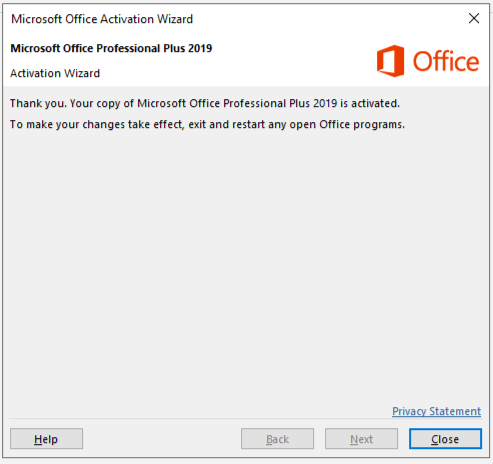
- Finally you will see the Thank you message.
- Enter it into the wizard, then click Next → Close.
Office Activation Wizard Enlarged Screen